
Table of Contents
- Why Personalized Video Analysis Matters for Tennis Players
- Best Tennis Analysis Apps: Mobile and Desktop Options
- How to Record Tennis Matches for Analysis
- AI Tennis Stroke Analysis: How It Works and What You Learn
- Choosing the Right Analysis Tool for Your Game
- The Psychology of Visual Feedback in Tennis Development
- Integrating Video Analysis with Coaching and Conditioning
- Conclusion
Last Updated: August 21, 2026
Why Personalized Video Analysis Matters for Tennis Players
Personalized video analysis has become essential for competitive improvement. The gap between feeling like you’re executing correctly and actually executing correctly is where video analysis lives. A player might believe their footwork is solid and their contact point clean, but video reveals the reality: a late step, stalled hip rotation, or contact three inches behind where it should be.
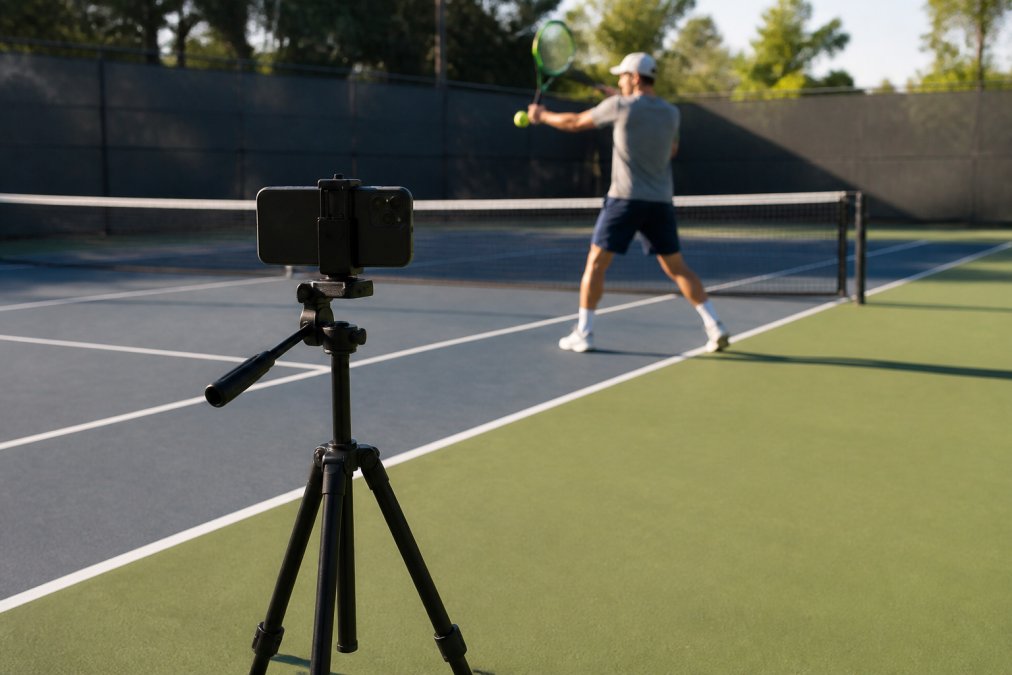
Video analysis works because it removes guesswork from coaching. Instead of a coach saying "your serve needs work," you watch your serve at 240 frames per second, measure ball speed, track hip and shoulder rotation, and compare your swing path to a professional’s. Suddenly the feedback isn’t opinion, it’s data.
Best Tennis Analysis Apps: Mobile and Desktop Options
The tools available today range from free, smartphone-based analysis to professional systems installed on court.
AI-Powered Mobile Apps
Crunch Time Coaching combines world-class coaching with personalized video feedback. The platform delivers step-by-step daily instruction designed around your specific technique issues. Unlike generic apps that analyze your swing in isolation, Crunch Time Coaching integrates video analysis into a complete learning system with challenge-based curriculum and exclusive in-person training camps. For competitive players, your video feedback connects directly to your training plan.

The real advantage of Crunch Time Coaching isn’t the app alone, it’s that your video analysis feeds into personalized coaching. You upload footage, get biomechanical feedback, then the daily lessons target exactly what the video revealed.
SwingVision uses your smartphone to track ball speed, depth, and consistency automatically. The app cuts highlight reels, measures shot placement with heatmaps, and includes line-calling with Apple Watch integration. At $14.99 per month with a free tier, it’s accessible for players testing whether video analysis fits their workflow. The tradeoff: it tracks what happened in a rally, not the biomechanics of how you hit.

SevenSix Tennis focuses on biomechanical analysis. It measures hip, shoulder, and wrist velocity, compares your technique to professional players, and scores your swing 0-100. The app works on iPhone and provides personalized feedback based on your movement patterns. The limitation: it’s designed for iPhone only and requires a clean side-view angle.
OnCourtAI is free and tracks 20+ body points with skeleton overlay, delivering results in under 30 seconds on both iPhone and Android. The feedback is solid for basic stroke analysis, though free tools rarely match paid platforms in depth.
TennisIA delivers biomechanical scoring with up to 16 metrics per swing, including joint angles, wrist speed, and kinetic chain efficiency. It works iOS and Android with in-app purchases for additional analysis.
Professional and Club-Based Systems
PlaySight SmartCourt represents the professional tier. These AI-powered camera systems installed on tennis courts provide real-time serve speed, automatic line calling, and 3D tactical analysis from multiple angles simultaneously. For clubs and academies, this is unmatched. Member access runs about $25 per month at equipped facilities.

Tennis clubs, competitive academies, and serious players training at facilities with installed systems.
Dartfish is the standard in professional coaching. It handles 4K video, offers advanced annotation and overlay tools for side-by-side comparisons, and generates detailed reports. The mobile app (myDartfish Express) runs roughly €7 per month. Dartfish has a steeper learning curve but provides professional-grade power.
Free and Open-Source Tools
Kinovea is free, open-source software that runs on your computer. It handles frame-by-frame playback, slow-motion review, annotation tools, and side-by-side video comparison. You can measure angles and track movement paths. Because it’s free, there’s no recurring cost, but it requires manual effort, you’re drawing lines and measuring angles yourself.
GameSmart AI offers match analysis and video highlights using AI to identify key moments and performance patterns. Pricing requires contacting the company.
How to Record Tennis Matches for Analysis
Recording quality determines analysis quality. A smartphone mounted on a tripod at court height, positioned perpendicular to the baseline, captures everything analysis tools need. The phone should be 15-20 feet from the court, roughly at net height (peer-reviewed research). This angle shows your footwork, hip rotation, shoulder turn, and contact point clearly.
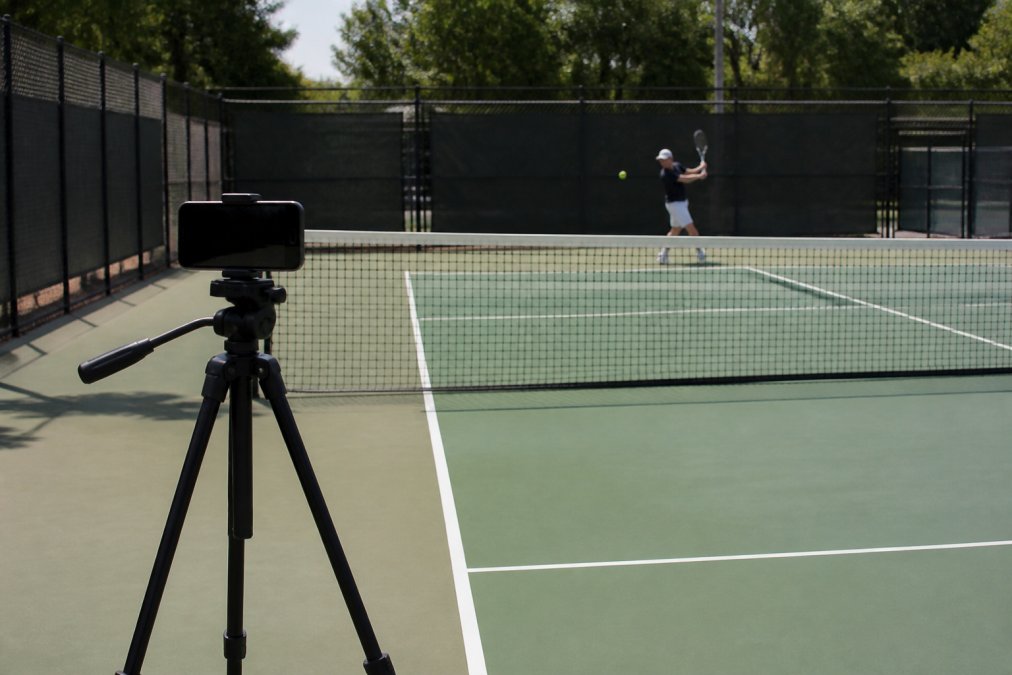
For lighting, natural daylight works best. Avoid backlighting and harsh shadows. Early morning or late afternoon sun is ideal. Frame rate matters for stroke analysis, use 60 fps or higher if available; 30 fps works but misses details.
Recording at too wide an angle distorts movement. Use your phone’s standard (non-wide) lens for accuracy.
Record multiple angles if possible. One phone perpendicular to the baseline captures front-view mechanics; a second phone behind you captures follow-through and weight transfer. Capture full rallies, not just individual shots, so analysis software has context. Stabilize the phone with a tripod, hand-held video confuses AI tracking systems. Record in 1080p minimum, 4K if possible.
AI Tennis Stroke Analysis: How It Works and What You Learn
AI-powered stroke analysis uses computer vision to track your body’s movement and measure biomechanical metrics.
Biomechanical Tracking and Metrics
The technology identifies key body points, shoulders, hips, elbows, wrists, knees, and tracks their position frame-by-frame through your stroke. From that skeletal tracking, the system calculates metrics: hip rotation speed, shoulder turn angle, elbow lag, wrist velocity at contact, weight shift timing, and contact point location. high performance activewear.
These metrics matter because they correlate with performance outcomes. Poor kinetic chain sequencing generates less racket head speed and less control (peer-reviewed research). Late weight transfer means hitting from a static base. Contact point too far in front or behind sacrifices power and consistency.
The analysis provides a score, typically 0-100, that quantifies how efficiently your stroke converts body movement into racket speed. A score of 85+ indicates professional-level biomechanics. A score of 60-75 indicates competitive amateur level with clear improvement areas (peer-reviewed research).
The biomechanical score is useful only if you understand what’s driving it. Good analysis apps break down the score into component metrics so you see exactly what to fix.
Real-Time Feedback vs. Post-Match Review
Real-time feedback during practice feels immediate and corrective. You hit a serve, get instant feedback, adjust, and hit another serve. Post-match review is slower but deeper. You watch video after the fact, analyze patterns across multiple rallies, and compare your technique to professional benchmarks.
Most players benefit from both. Real-time feedback during practice drives immediate technical corrections. Post-match review identifies patterns and strategic adjustments. The combination accelerates improvement faster than either alone.
Choosing the Right Analysis Tool for Your Game
Competitive Players Training for Tournaments
If you’re competing in tournaments and need rapid improvement, integration with coaching matters more than the tool itself. Crunch Time Coaching combines video analysis with daily instruction and challenge-based curriculum designed for tournament preparation. The platform’s in-person training camps provide hands-on correction that video analysis alone can’t deliver.
If you prefer independent analysis, SwingVision or SevenSix Tennis provide the biomechanical data you need to self-correct. PlaySight SmartCourt, if available at your facility, provides professional-grade analysis that rivals what elite academies use.
Adult Players Returning to Tennis
If you’re returning to tennis after years away, you’re rebuilding fundamentals. Video analysis shows you exactly what’s changed. For this situation, a free or low-cost tool like OnCourtAI or Kinovea works well initially. Once you identify main issues, investing in more detailed analysis makes sense.
Crunch Time Coaching specifically addresses adult players returning to tennis. The step-by-step daily lessons are designed for players rebuilding technique, and the challenge-based curriculum lets you progress at your own pace.
Budget-Conscious Players
OnCourtAI and Kinovea are genuinely free with real analytical power. SwingVision’s free tier includes basic shot tracking and highlights, with paid tier ($14.99/month) unlocking advanced metrics. If you’re willing to invest modestly, SwingVision or SevenSix Tennis provide professional-quality biomechanical analysis without the cost of PlaySight or Dartfish.
The Psychology of Visual Feedback in Tennis Development
Seeing yourself play changes how you think about your game. The disconnect between internal sensation and external reality is jarring initially. Over time, players accept the video evidence and reprogram their feel.
Visual feedback creates accountability. It’s harder to blame external factors when you watch yourself miss. You see the actual shot, contact point, follow-through, and footwork. Confidence builds through documented progress. Watching video from three months ago compared to today makes improvement visible.
The psychological challenge is staying objective. Coaching, whether from a person or a structured program like Crunch Time Coaching, provides the external perspective that keeps video analysis productive rather than self-critical.
Integrating Video Analysis with Coaching and Conditioning
Video analysis is most powerful when integrated into a complete training system. A coach watches your video, identifies the mechanical issue, gives you a specific drill to fix it, then you practice with real-time feedback. That integration, analysis, coaching, practice, creates faster improvement than any single element alone.
Conditioning connects to video analysis through biomechanical efficiency. If your video shows poor weight transfer, conditioning work targets those specific patterns. Video identifies the mechanical issue; conditioning addresses the physical limitation.
Match performance tracking through video creates accountability. You watch your matches, identify tactical patterns and mechanical breakdowns, then adjust training accordingly. Crunch Time Coaching’s integration of video analysis with daily lessons and in-person training camps exemplifies this approach. Your video feedback informs the daily instruction, which targets what the video revealed.
Video analysis has moved from luxury to necessity for competitive tennis players. The tools are accessible, most require only a smartphone and a tripod. The analysis is accurate, and the impact is measurable.
The choice isn’t whether to use video analysis. It’s which tool matches your situation and budget. For competitive players seeking rapid improvement with coaching integration, Crunch Time Coaching combines video feedback with world-class daily instruction and exclusive in-person training camps. The platform’s challenge-based curriculum and personalized coaching transform how you approach your game. Reserve your spot today and unlock your full competitive potential.
=== FAQ ANSWERS (audit these too, same rules) ===
[1] Q: How does personalized video analysis improve tennis performance?
A: Personalized video analysis reveals biomechanical patterns you cannot see in real time. By reviewing frame-by-frame footage, you identify timing errors, swing path inconsistencies, and footwork flaws that limit your performance. AI-powered tools track metrics like swing speed, rotation angles, and contact points, giving you quantifiable data to work with. Visual feedback accelerates technical correction because your brain processes what it sees faster than verbal instruction alone.
[2] Q: What equipment do I need to record tennis matches for analysis?
A: A smartphone with a good camera is your minimum requirement. Position it on a tripod at court level, perpendicular to the baseline, to capture full-body motion and court positioning. For better lighting, record during midday. If you want multiple angles, use two phones or cameras on opposite sides of the court. Many analysis apps work directly from smartphone video, so you don’t need expensive equipment to start.
[3] Q: Can AI-powered tennis analysis replace a human coach?
A: AI analysis and human coaching serve different purposes. AI excels at measuring biomechanics, identifying technical flaws, and providing objective data on stroke patterns and consistency. A coach provides context, tactical awareness, mental coaching, and personalized drill design based on your specific game style and weaknesses. The best approach combines both: use AI to diagnose technical issues and track progress, then work with a coach to understand why those issues exist and how to train them out. AI accelerates improvement, but human coaching shapes your overall game strategy and competitive mindset.
[4] Q: What should I look for in a tennis video analysis tool?
A: Prioritize ease of use, compatibility with your devices, and the specific metrics that matter to your game. If you focus on serve improvement, choose a tool with detailed serve analysis (speed, spin rate, placement). For footwork and court coverage, look for heatmaps and movement tracking. Consider whether you need real-time feedback during play or if post-match review suffices. Check if the tool offers side-by-side comparison to professional players, which accelerates learning. Finally, verify whether the platform stores your data securely and whether it integrates with your existing coaching or fitness apps.
[5] Q: Is personalized video analysis worth the investment for recreational players?
A: Yes, especially if you’re stuck on a performance plateau or training for league competition. Many high-quality analysis apps cost $15-30 per month or are completely free, making them accessible to recreational players. Even basic video review (using free tools like Kinovea) reveals technical patterns that verbal coaching alone misses. The investment pays off quickly if you’re committed to consistent practice. If you’re serious about improving, the cost is minimal compared to the performance gains.
Frequently Asked Questions
How does personalized video analysis improve tennis performance?
Personalized video analysis reveals biomechanical patterns you cannot see in real time. By reviewing frame-by-frame footage, you identify timing errors, swing path inconsistencies, and footwork flaws that limit your performance. AI-powered tools track metrics like swing speed, rotation angles, and contact points, giving you quantifiable data to work with. Visual feedback accelerates technical correction because your brain processes what it sees faster than verbal instruction alone.
What equipment do I need to record tennis matches for analysis?
A smartphone with a good camera is your minimum requirement. Position it on a tripod at court level, perpendicular to the baseline, to capture full-body motion and court positioning. For better lighting, record during midday. If you want multiple angles, use two phones or cameras on opposite sides of the court. Many analysis apps work directly from smartphone video, so you don't need expensive equipment to start.
Can AI-powered tennis analysis replace a human coach?
AI analysis and human coaching serve different purposes. AI excels at measuring biomechanics, identifying technical flaws, and providing objective data on stroke patterns and consistency. A coach provides context, tactical awareness, mental coaching, and personalized drill design based on your specific game style and weaknesses. The best approach combines both: use AI to diagnose technical issues and track progress, then work with a coach to understand why those issues exist and how to train them out. AI accelerates improvement, but human coaching shapes your overall game strategy and competitive mindset.
What should I look for in a tennis video analysis tool?
Prioritize ease of use, compatibility with your devices, and the specific metrics that matter to your game. If you focus on serve improvement, choose a tool with detailed serve analysis (speed, spin rate, placement). For footwork and court coverage, look for heatmaps and movement tracking. Consider whether you need real-time feedback during play or if post-match review suffices. Check if the tool offers side-by-side comparison to professional players, which accelerates learning. Finally, verify whether the platform stores your data securely and whether it integrates with your existing coaching or fitness apps.
Is personalized video analysis worth the investment for recreational players?
Yes, especially if you're stuck on a performance plateau or training for league competition. Many high-quality analysis apps cost $15-30 per month or or are completely free, making them accessible to recreational players. Even basic video review (using free tools like Kinovea) reveals technical patterns that verbal coaching alone misses. The investment pays off quickly if you're committed to consistent practice. If you're serious about improving, the cost is minimal compared to the performance gains.
This article was written using GrandRanker